¶ New arrivals - the "NEW" label on products
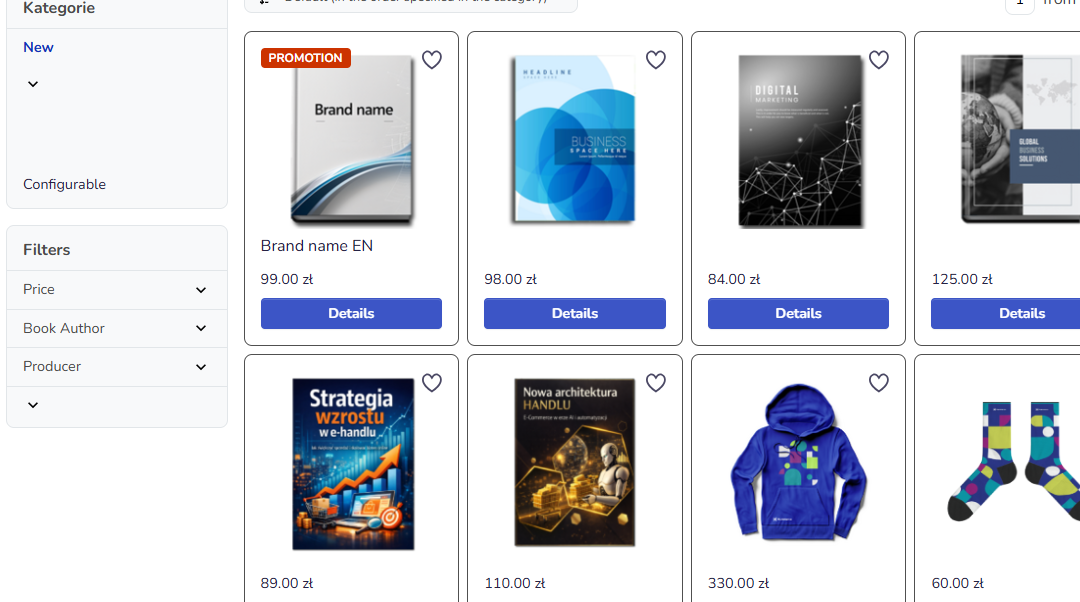
New arrivals in Hummerce let you highlight freshly added products in the store with a "NEW" label - its visual appearance can differ depending on the store's template. The label can be set individually on the product card, or for many products at once with a bulk operation.
Last updated: 2026-09-28.
¶ Benefits and use cases
- Highlighting new arrivals on the list and the product card draws customers' attention to fresh assortment.
- Label appearance matched to the template - it can look different graphically between implementations.
- Fast labeling of individual products directly in the product card edit view.
- Bulk operation lets you label many products at once from the item list, without opening each one's card.
¶ What it looks like
Screenshots from the Hummerce admin panel.
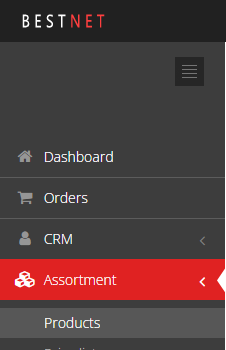
¶ Getting to the item list
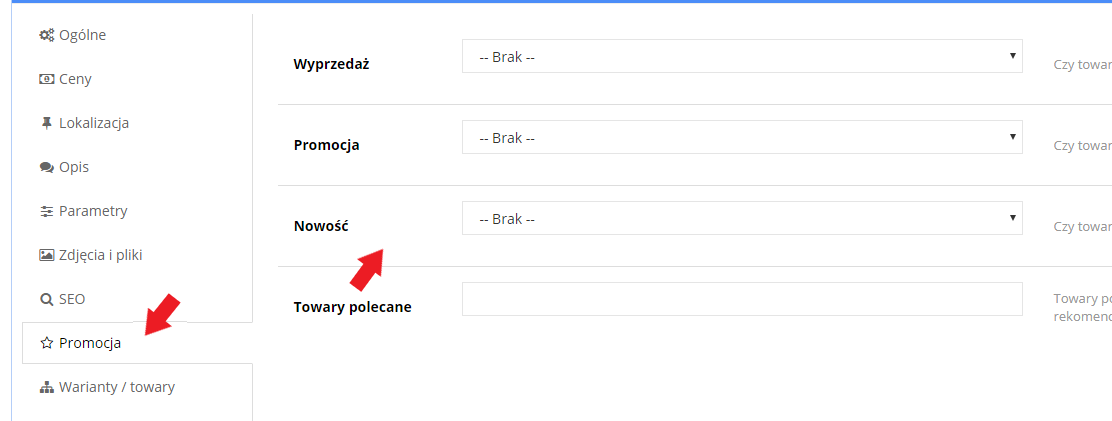
¶ The New arrival field on the product card
¶ New arrivals list in the store
¶ How it works
- A product can be marked as "NEW" in two ways: individually when editing the product, or with a bulk operation from the item list.
- Individually: edit the product, Promotion tab, New arrival field - set to YES or NO.
- In bulk: on the item list, select the checkboxes of the chosen products, pick New arrival from the bulk operations dropdown, then YES or NO, and run the operation. The store shows the list of affected products for confirmation before running it.
- After the change, the basic cache needs to be refreshed for the label to appear in the store.
- The appearance of the "NEW" label depends on the store's graphic template.
¶ Limitations
- The appearance of the "NEW" label is set in the store's graphic template - it is not changed from the panel.
- The change is visible in the store only after refreshing the basic cache.
- We do not verify the task for legal compliance (e.g. licenses of supplied materials, GDPR, store terms and conditions).
¶ Frequently asked questions
Can the "NEW" label be matched to the store's look?
Yes. The label's appearance depends on the graphic template and can differ between implementations.
Can many products be marked as new arrivals at once?
Yes, with a bulk operation from the item list - select products with a checkbox and run one operation for all of them.
Is the change visible in the store right after saving?
No, it requires refreshing the basic cache in the panel.
Does marking a product as a new arrival affect its price or availability?
No, it is only an informational label, independent of the product's price, promotions and availability.
¶ Related
- Bulk operations on items - other operations run from the item list.
- Cache - refreshing after changes in the panel.
- B2C sales - overview - the retail customer's path.
Want to see how labeling new arrivals could work in your store? Book a free demo (in Polish).
¶ Configuration details
¶ Access in the admin panel
- Individually: Assortment -> Items, edit the product, Promotion tab, New arrival field (YES/NO).
- In bulk: Assortment -> Items, select products with a checkbox, bulk operation New arrival -> YES/NO -> Run.
- After saving the changes, the basic cache needs to be refreshed in the panel.