¶ Multilanguage - one domain, several store languages
Multilanguage in Hummerce lets a store run in two or more languages on a single domain - with a separate translation of item names and descriptions, interface messages, email templates and page content for each language. It's the basis for selling to customers abroad without setting up a separate store.
Last updated: 2026-09-28.
¶ Benefits and use cases
- One store, several languages - the catalog, the panel and the customer base are shared, while content and messages are kept separate for each language.
- Separate translations of item data - name, description, unit and other text properties, as well as dedicated images and friendly URLs, can each have a different value per language.
- Interface messages editable on your own - button text, error messages and labels are edited in the panel, without touching the code.
- Export messages for outside translation - the list of messages is exported to an Excel file, translated outside the store and loaded back in.
- Email and print templates per language - the customer gets the order confirmation, a report or a price list in their own language.
¶ What it looks like
Screenshots from the Hummerce panel.
¶ Fields with language tabs
¶ Property multilanguage setting
¶ Message translation editor
¶ How it works
¶ Language configuration
- Available languages are added under Configuration -> Languages. For each language you set whether it's active and its flag symbol, shown for example in the store header as a language tab.
- The store's default language is set under Configuration -> Settings -> General Data.
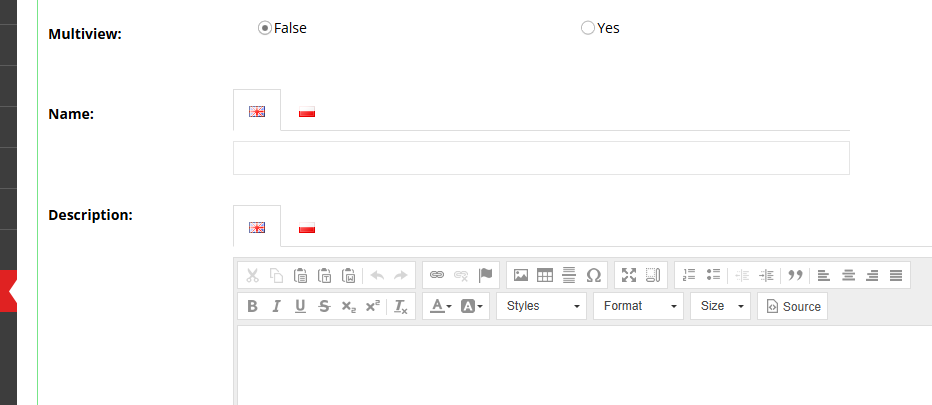
- Once languages are added, many store objects (items, categories and other objects) gain language tabs for fields such as name, description, unit, other text properties, dedicated images and friendly URLs.
¶ Properties
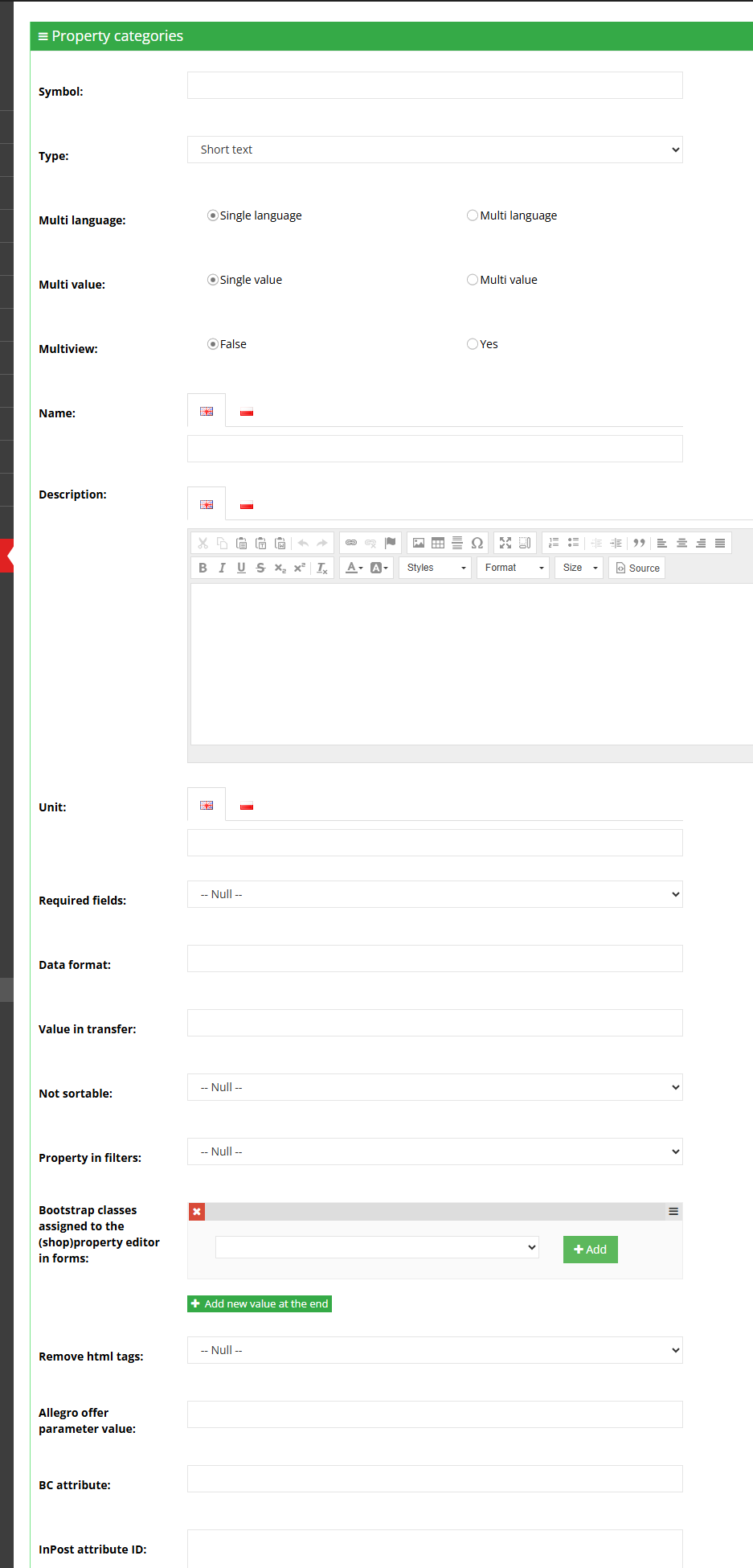
- When creating a property you set whether it's Single-language or Multilanguage - a multilanguage property stores a separate value for each store language.
¶ Messages
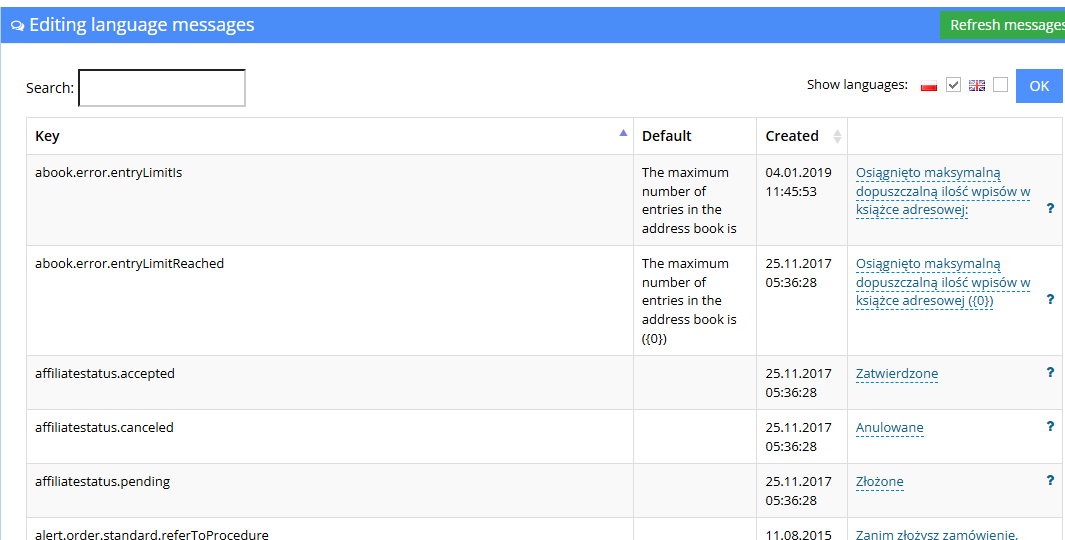
- Messages are edited under Content -> Messages. By default the default value and the store's default language are shown - selecting extra languages and clicking Show displays their translations side by side.
- A missing message translation is marked with a "+" instead of the text - clicking the "+" lets you fill it in right away.
- Some messages are defined in the store code and can't be edited from the panel.
- Messages can be exported and imported as an Excel file under the Data transfer tab - a convenient option when outsourcing translation.
¶ Templates and content
- Templates (e.g. order-confirmation emails, printed reports and price lists) are multilanguage and available under Configuration -> Templates.
- Content (contents and static pages) is multilanguage the same way as templates, available under Content -> Contents and Content -> Pages.
¶ Limitations
- A missing value of a multilanguage property in one of the languages can cause errors in how the store works - it's best to fill in values in every active language.
- A missing template (e.g. the order-confirmation email) for a given language - the email in that language won't be created and sent, or it will arrive empty.
- Part of the admin panel works correctly only in the store's base language (Polish by default), e.g. the task list.
- Some messages are defined in the store code and can't be changed from the panel.
- We do not verify translations and language configuration for legal compliance - the store decides on the information duties owed in each language.
¶ Frequently asked questions
Can a store run in several languages on one domain?
Yes. Multilanguage covers item data, interface messages, email templates and content - each element separately for each language.
Does adding a new language require a developer?
No, the language itself is added on your own in the panel (Configuration -> Languages). Filling in translations across all items, messages and content is, however, a separate editorial task.
What happens when a message or template translation is missing?
A missing message shows up as a "+" to fill in, and a missing email template for a given language means the email in that language won't be sent, or will arrive empty.
Does the admin panel work in every store language?
Partly. Some parts of the panel, e.g. the task list, work correctly only in the store's base language.
Can messages be handed off for outside translation?
Yes. Messages are exported and imported as an Excel file under the Data transfer tab.
¶ Related
- Automatic translation - automatic content translation instead of filling in every language by hand.
- Views - several stores in one panel - a separate language and currency for each store view.
- message editor - details of editing and exporting messages.
- Email templates and alerts - configuring templates per language.
- On hummerce.com: Multilanguage (in Polish).
Want to see how multilanguage selling could work in your store? Contact the Hummerce team (in Polish).
¶ Configuration details
¶ Access in the admin panel
- Languages: Configuration -> Languages (adding, activity, flag symbol).
- Default language: Configuration -> Settings -> General Data.
- Messages: Content -> Messages (choosing visible languages, filling in gaps, export/import).
- Templates: Configuration -> Templates.
- Content: Content -> Contents, Content -> Pages.
- Properties: the Multilanguage setting (Single-language / Multilanguage) when creating a property.