¶ Complaints - reporting a faulty product
Complaints in Hummerce let a customer report a faulty or non-conforming product directly from their account, or through a link to the order from an email, while store staff handle every submission in one place in the panel. This is an older, proven platform feature, working separately from the returns module - for cases of a faulty product, not withdrawal from the contract.
Last updated: 2026-09-29. Core platform feature, available in all current Hummerce versions.
¶ Benefits and use cases
- The customer files the complaint themselves - from their account or a link to the order from an email, with no need to write an email or call support.
- Choice of specific items and quantities from the order that the complaint concerns.
- Attachments to the submission - proof of purchase and an extra file, e.g. a photo of the product's defect.
- All submissions in one place in the panel, with a status change history.
- A separate process from returns - a complaint concerns a product defect or a mismatch with the contract, while a return is withdrawal from the contract without giving a reason (Returns - withdrawal from the contract).
¶ What it looks like
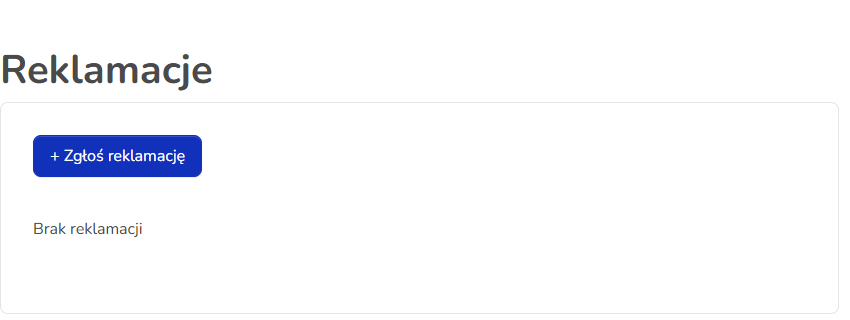
Screenshot from the Hummerce demo store.
¶ Complaints in the customer account
¶ How it works
- The customer files a complaint against a specific order - logged in from their account (must be the order's owner) or without an account, via the order management or confirmation link from an email.
- In the form, the customer indicates the order, selects items and quantities from it for the complaint, and can add a comment plus proof of purchase and an extra attachment.
- A complaint is a separate object in the system, with its own number and history - filing it doesn't by itself change the order's status.
- Complaint status moves through the stages: Placed -> Under consideration -> In progress -> Completed or Rejected, with an additional flag for whether the complaint was accepted.
- Changing the status from "Placed" to "Under consideration" can be set to happen automatically (a scheduled task) - in the standard configuration, store staff change it manually.
- The order and payment also have their own "Complaint" status, independent of the complaint's own status - staff can use it to flag an order linked to a submission.
- A customer's complaints are visible in their account separately from returns - a list of submissions and details for each one.
- The store can print or provide the customer with a "Complaint form" document linked to the order.
¶ Version
Complaints are a core platform feature - available in all current Hummerce versions, alongside the returns module introduced later for withdrawal from the contract (Returns - withdrawal from the contract).
¶ Dependencies
- The order the complaint refers to - the customer must have access to it (account or email link).
- Email notifications about a complaint require active alerts and matching email templates - scope to be defined during implementation.
- The Bootstrap 5 or Bootstrap 4 store template - the complaint form and list in the customer account.
¶ Implementation
- Complaints work right after an update as part of the platform, but need to be adapted to the specific store: the form's content, the "Complaint form" document, email templates and translations.
- Minimum estimated time: adapting the form, document and messages - from 4 h. The time for a specific implementation depends on its scope - we quote it individually.
- What the time depends on:
- how much the complaint form and customer account are customized,
- the number of languages and message translations,
- the scope and content of email notifications about the complaint,
- whether complaints are passed on to an ERP or an external customer-service system (quoted separately),
- the store version - an older version needs an update first (quoted separately).
¶ Limitations
- The customer doesn't choose the way the complaint will be resolved (replacement, refund or repair) in the form - store staff decide on the resolution after reviewing the submission, outside the form.
- A complaint doesn't automatically change stock levels or the order's status.
- No automatic passing of complaints to an ERP in the standard configuration.
- Complaints and returns are separate modules with separate lists in the panel - one submission can't be converted into the other.
- We do not verify the configuration for legal compliance - the rules for handling complaints (statutory warranty, manufacturer's warranty) and the terms of service content are set by the store.
¶ Future development
- Letting the customer choose the resolution (replacement, refund, repair) in the form.
- Automatic email notifications to the customer and seller when a complaint is filed and when its status changes, adapted during implementation.
- Passing complaints on to an ERP and updating stock levels once resolved.
- A combined view of complaints and returns in the customer account.
¶ Frequently asked questions
Is a complaint the same as a return?
No. A return is withdrawal from the contract without giving a reason, while a complaint concerns a faulty or non-conforming product - it's a separate process with a separate list in the panel (Returns - withdrawal from the contract).
Does the customer need an account to file a complaint?
No. A logged-in customer files it from their account, and without an account - via the order management or confirmation link from an email.
Can only part of an order be complained about?
Yes. The customer selects specific items and quantities from the order that the complaint concerns.
Can the customer add photos to the submission?
Yes. The form has a field for proof of purchase and an extra attachment, e.g. a photo of the product's defect.
How long does implementing complaints take?
The module works right after an update - adapting the form, documents and messages is from 4 h; the exact time depends on the scope.
¶ Related
- Returns - withdrawal from the contract
- Order statuses
- Email templates and alerts
- On hummerce.com: Returns and complaints (in Polish)
Want to see how complaints could work in your store? Contact the Hummerce team (in Polish).
¶ Configuration details
¶ Access in the admin panel
- Complaint list in the panel: CRM -> Complaints - list (columns: customer, email, submission date, order, status), submission details, status change history.
- Customer account: "Complaints" section - list of submissions and the "Submit complaint" form.
- Configuration -> Settings, Complaints group: a toggle for the automatic status change from "Placed" to "Under consideration".
- Order document: "Complaint form".
¶ Store messages
Text is changed in the message editor. Default values are in Polish and English.
| Key | Default value |
|---|---|
msg.profileMenu.reclamation |
Complaints |
msg.profileReclamationList.add |
New reclamation |
msg.profile.reclamation.chooseItems |
Choose items you want to reclaim. |
msg.reclamation.selectPlaceholder |
Complaint items |
error.reclamation.reclamationPluginIsDisabled |
No complaints module |