¶ Static pages - custom subpages without a developer
Static pages in Hummerce are self-service store subpages - terms of service, FAQ, company information, shipping and payment - which store staff edit in the panel, without a developer. A page can be enriched with dynamic content (an item, a category, a search result), and the whole page list can be moved between environments with an XML file.
Last updated: 2026-09-29.
¶ Benefits and use cases
- Self-service page creation and editing - terms of service, FAQ, about us, shipping and payment - without asking a developer for changes.
- Separate content and title for each store language - the same static page works in a multilanguage store.
- A modular page combines its own content with dynamic content - an item, a category, another page, a query result, or a subpage menu.
- Parent/child page structure - subpages grouped under one main page (e.g. FAQ categories).
- Exporting and importing the whole page list as an XML file - for moving content between a test and a production store, or for a backup.
¶ What it looks like
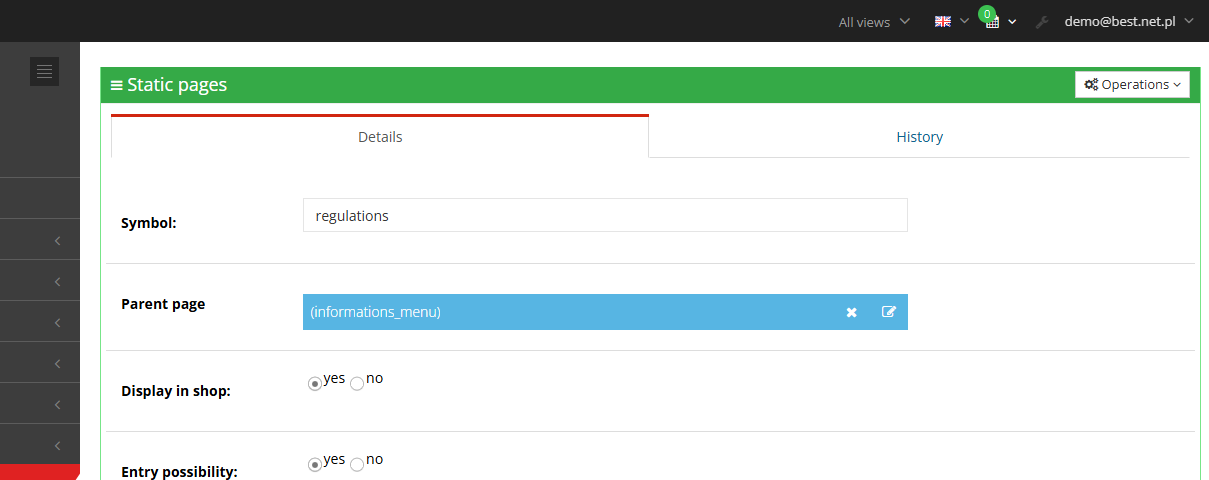
¶ Static page details in the panel
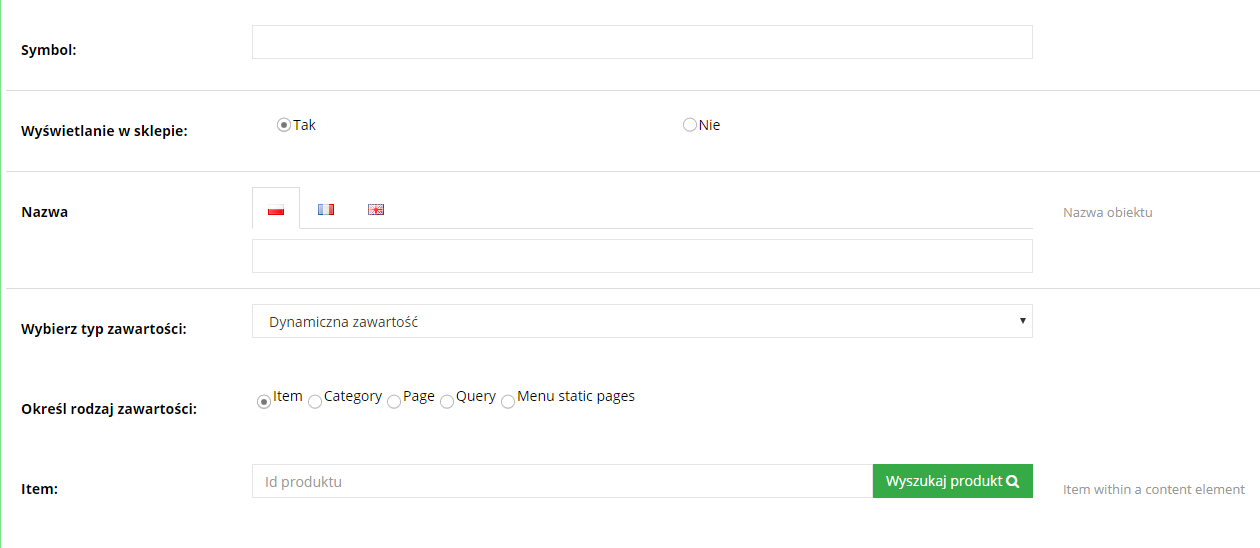
¶ Adding dynamic content to a page
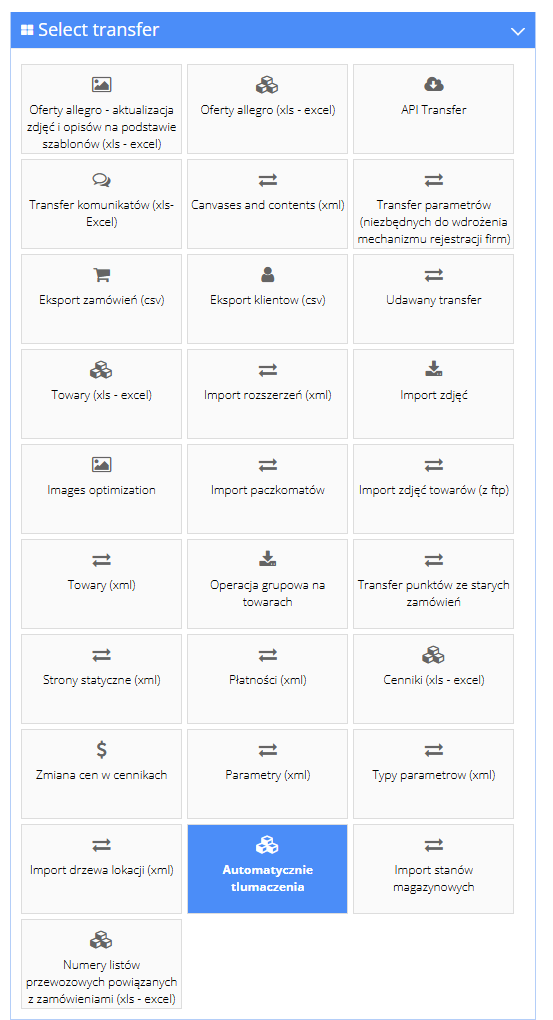
¶ Static page transfer as an XML file
¶ How it works
¶ Types of static pages
When creating a page you choose one of the types: Html (custom HTML content - the most common choice for terms of service, FAQ or an about-us page), Text (plain text), News and Modular (a page combining its own content with attached content).
¶ Static page fields
- Symbol - the page's unique identifier in the store (also used in the page's address and in links from other places in the store).
- Page type - Html, Text, News or Modular.
- Display in store - whether the page is visible in the store.
- Can be opened - whether the page can be opened directly at its address.
- Title - separate for each store language.
- Description - an administrative field alongside the page's metadata (title and description for search engines) - this is not the content shown to the customer.
- Page content - the actual content shown in the store, edited in the WYSIWYG editor with an HTML source-code preview mode.
- Parent page - an optional link to another page, forming a tree of subpages.
¶ Dynamic content on a modular page
A Modular page shows, alongside its own content, attached content - exactly the same mechanism and the same kinds of content (item, category, page, query, static-page menu) described in Canvases and contents. Content is created separately (Content -> Contents) and then added to the page in the Add content field.
¶ Export and import via XML
Data transfer -> Static pages (xml) exports and imports the whole list of static pages in a single file: symbol, parent structure, creation and modification dates, type and visibility, title and content in each language, and the list of attached content. Convenient for moving a full set of pages between a test and a production environment.
¶ Version
- Static pages (Html, Text, News types) - a core platform feature, available in all current versions.
- Modular pages with attached dynamic content - from version 2.22.
¶ Dependencies
- Separate content and title per language requires languages configured in the store (Multilanguage).
- Attaching dynamic content to a modular page requires content created under Content -> Contents (Canvases and contents).
- Editing page content uses the WYSIWYG editor.
¶ Implementation
- A new static page with standard content (Html or Text type) works right away in the panel - no implementation needed.
- A modular page with a new kind of attached content, or a change to the page's appearance in the template, requires implementation.
- We quote the time for template changes individually, after reviewing the scope.
¶ Limitations
- A new page doesn't automatically create a navigation entry in the template - a link to it has to be added manually (e.g. as a static-page-menu content, or in the template).
- The Description field is an administrative metadata field, not content shown to the customer - the content visible in the store is always the Page content field.
- The AI assistant (MCP) reads static pages but doesn't create or edit them - saving stays in the panel.
- We do not verify page content for legal compliance - terms of service and other legal content is prepared and approved by the store.
¶ Future development
- Creating and editing static pages through the AI assistant - currently only read access is available.
- Assigning pages to store views (pages currently aren't assigned to views - see Views).
¶ Frequently asked questions
Can I add a new static page myself, e.g. an FAQ or company info page, without a developer?
Yes. An Html or Text type page works right after being saved in the panel, without a developer.
Can a static page have separate content in each store language?
Yes. The title and content are set separately for each store language.
Can a static page show an item, a category, or a product list?
Yes, on a Modular type page - through attached content, exactly the same way as canvases on the homepage.
Can the AI assistant read the content of a static page?
Yes, it can read it along with its attached content. Creating and editing pages through the AI assistant isn't available yet.
Can I move the page list between a test and a production store?
Yes, as an XML file under Data transfer -> Static pages (xml).
How long does it take to add a new static page?
A page with standard content - self-service in the panel, no implementation needed. A change to the template's appearance or a new kind of attached content is quoted individually after reviewing the scope.
¶ Related
- Canvases and contents - the same content mechanism, used on the homepage instead of a static page.
- Store terms of service - terms of service as a typical example of a static page.
- Content editor (WYSIWYG) - the editor used to fill in the page content.
- Multilanguage.
Want to see how content management could work in your store? Contact the Hummerce team (in Polish).
¶ Configuration details
¶ Access in the admin panel
- Page list: Content -> Pages - columns: Symbol, Title, Blog category, Operations (edit, delete, preview in store). The Blog category column applies to blog posts - see Blog and news.
- Page details: the Details tab (Symbol, Page type, Display in store, Can be opened, Title, Description, Page content in the WYSIWYG editor, Parent page) and the History tab (change history).
- Adding content to a modular page: the Add content field in page editing - choose from existing content, or create new content (Content -> Contents).
- XML transfer: Data transfer -> Static pages (xml) - export and import of the whole page list.
¶ REST API and MCP
- REST API: read, create, update and delete static pages (REST API).
- MCP (AI assistant - MCP server):
ec2_pages_list- list of static pages (symbol, title, type, visibility), with a visibility filter and a result limit,ec2_pages_get- full page content (_title,_contents- content shown in the store,_description- metadata, if filled in) and the list of attached content.- Creating and editing pages through MCP isn't available yet - read only.
¶ Parameters
| Symbol | Object | Meaning |
|---|---|---|
_title |
page | Page title (per language) |
_contents |
page | Page content shown in the store |
_description |
page | Administrative description (metadata, not page content) |